
Traveling abroad is exciting—new cultures, food, and experiences—but it can quickly become frustrating when you open your favorite streaming app only to see an error message saying the content isn’t available in your location. This is a classic case of geo restriction, and it affects millions of travelers every year. Whether you’re trying to watch your usual Netflix shows, bypass a Disney Plus geo restriction, or figure out how to download geo-restricted YouTube videos, the problem is the same: streaming platforms detect your location and limit access based on licensing rules.
So, what is geo restricted content, and more importantly, how to access geo-restricted mobile streaming content safely while traveling? The good news is that there are proven, reliable methods—from VPNs and Smart DNS to advanced proxy solutions like mobile proxies—that can help you get around geo restrictions without compromising security or streaming quality.
In this in-depth guide, we’ll explain the geo restricted content meaning, why platforms enforce geo fencing restriction, and step-by-step methods to bypass these blocks on mobile devices. We’ll also compare VPNs, proxies, and mobile proxy solutions, answer common questions like “Is Netflix geo-restricted?” and “Can mobile proxies help me access geo-restricted content safely?”, and show how services like OKKProxy can provide flexible, travel-friendly solutions. By the end, you’ll know exactly how to watch geo-restricted video, remove geo fencing restrictions, and enjoy uninterrupted streaming wherever you are.
What Is Geo-Restricted Content?
Geo restricted content meaning refers to digital content—such as movies, TV shows, or videos—that is only available in specific countries or regions. Streaming platforms use your IP address to determine your location and decide what you’re allowed to watch.
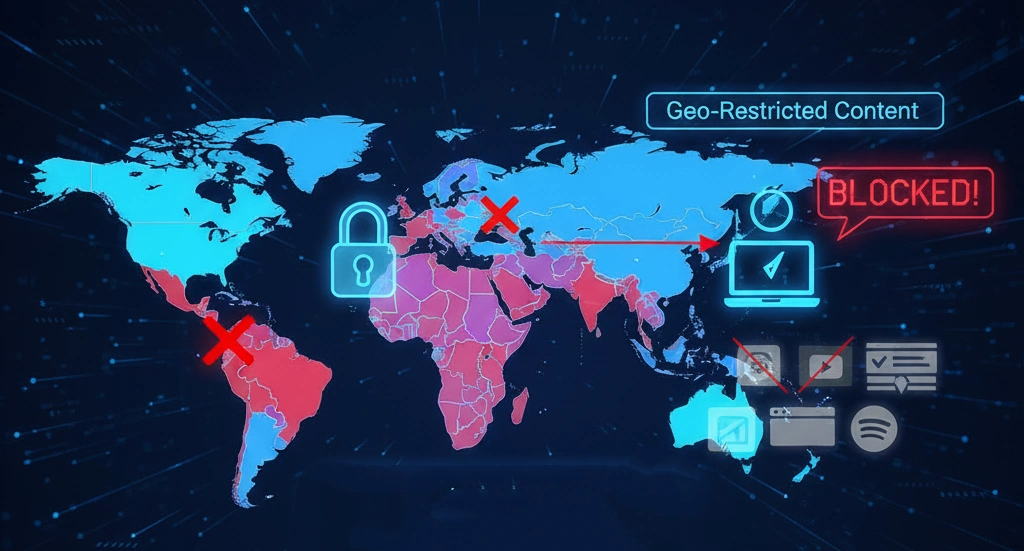
Common Examples of Geo Restrictions
- Netflix geo restrictions: The U.S. Netflix library differs significantly from those in Europe or Asia.
- Disney Plus geo restriction: Certain movies or series may only be licensed for select regions.
- YouTube geo restricted videos: Some videos can’t be played or downloaded outside certain countries.
- Sports streaming: Live events are often locked behind regional broadcasting rights.
In short, geo restrictions meaning = location-based access control.
Why Do Streaming Platforms Use Geo Fencing Restrictions?
Geo fencing restriction exists mainly due to:
- Licensing agreements with content owners
- Copyright laws that vary by country
- Pricing strategies tailored to different markets
This explains why you might ask, “Is Netflix geo-restricted?”—yes, it absolutely is. The same applies to Hulu, BBC iPlayer, Amazon Prime Video, and Disney Plus.
How to Access Geo-Restricted Mobile Streaming Content While Traveling?
If you’re wondering how to get around geo restrictions, there are three main categories of solutions:
| Method | Security | Speed | Reliability for Streaming |
| VPN | High | Medium–High | High (paid VPNs) |
| Smart DNS | Low–Medium | High | Medium |
| Proxy / Mobile Proxy | Medium–High | High | High (with quality providers) |
Method 1: Using a VPN to Bypass Geo Restrictions
A VPN is the most common answer to how to bypass geo restrictions.
Step-by-Step Guide with a VPN
- Choose a reliable VPN
Look for providers known for streaming, often listed as the most reliable VPNs for bypassing geo-restrictions (e.g., ExpressVPN, NordVPN, Surfshark).
- Install the app on your phone (iOS or Android).
- Connect to a server in your home country or the region where the content is available.
- Launch your streaming app (Netflix, Disney Plus, YouTube).
- Watch geo-restricted shows as if you were back home.
Pros and Cons
Pros
- Strong encryption and privacy
- Easy to use
- Works with many platforms
Cons
- Some streaming platforms detect and block VPN IPs
- Speeds can drop during peak times
Method 2: Smart DNS–Faster but Less Secure
Smart DNS reroutes specific traffic to bypass geo restriction without encrypting your data.
Best for: Users who prioritize speed over privacy
Not ideal for: Public Wi-Fi or privacy-conscious travelers
Method 3: Proxies and Mobile Proxies (Advanced & Flexible)
This is where many guides stop—but we go further.
Best Proxy for Bypassing Geo-Restrictions
Traditional datacenter proxies are often blocked by streaming platforms. However, mobile proxies and residential proxies offer a much more realistic IP profile.
Can Mobile Proxies Help Me Access Geo-Restricted Content Safely?
Yes—mobile proxies use real IPs from mobile carriers (4G/5G), making them extremely hard for streaming platforms to detect.
Why Mobile Proxies Work Better
- IPs rotate naturally like real mobile users
- Lower block rates than VPNs or datacenter proxies
- Excellent for mobile streaming apps
OKKProxy offers high-quality mobile and residential proxy solutions designed for real-world use cases, including streaming, app testing, and cross-border access. With global coverage and carrier-grade IPs, OKKProxy is often considered one of the best proxy options for bypassing geo-restrictions without triggering platform defenses.
| Use Case | VPN | Mobile Proxy (OKKProxy) |
| Casual streaming | √ | √ |
| Netflix & Disney Plus | may block | √ |
| Mobile-only apps | may block | √ |
| Long-term travel | may block | √ |
| Advanced geo restriction bypass | × | √ |
How to Watch Geo-Restricted Video on Popular Platforms
Netflix
- Is Netflix geo-restricted? Yes.
- Best options: Premium VPNs or mobile proxies with U.S./EU IPs.
Disney Plus
- Disney Plus geo restriction is strict.
- Mobile proxies often work better than VPNs for app-based access.
YouTube
- Download geo restricted YouTube videos using region-matched IPs.
- YouTube to MP4 geo-restricted conversions require access first.
How to Download Geo-Restricted YouTube Videos
- Connect via VPN or mobile proxy.
- Access the video.
- Use a compliant download tool where permitted by local laws.
How to Remove Geo Fencing Restrictions Safely
To remove geo fencing restrictions without risking your accounts:
- Match IP region with device timezone and language
- Avoid switching regions too frequently
- Use high-quality IPs (mobile or residential)
This is where services like OKKProxy shine, offering consistent regional IPs that align well with mobile devices.
FAQs: Geo-Restricted Streaming While Traveling
What is geo restricted content?
Content limited to specific regions due to licensing or legal reasons.
How to remove geo restrictions?
Use VPNs, Smart DNS, or high-quality mobile proxies.
Can mobile proxies help me access geo-restricted content safely?
Yes, especially for mobile apps, they offer realistic IPs and low detection rates.
How to get around geo restrictions on public Wi-Fi?
Combine secure Wi-Fi practices with VPNs or mobile proxies.
What’s the best proxy for bypassing geo-restrictions?
Mobile and residential proxies from providers like OKKProxy.
Conclusion: The Smart Way to Stream While Traveling
Traveling doesn’t mean giving up your favorite shows. Once you understand what is geo restricted content and why geo restriction exists, the solution becomes much clearer. VPNs remain a popular and effective choice, Smart DNS offers speed-focused alternatives, and mobile proxies represent a powerful, modern solution—especially for mobile-first streaming apps.
If you want flexibility, stability, and lower block rates, combining a trusted VPN with OKKProxy‘s mobile or residential proxy services can give you the best of both worlds. With the right tools and setup, you’ll know exactly how to access geo-restricted content, how to watch geo-restricted video, and how to bypass geo restrictions safely—no matter where your travels take you.
Wherever you go, your streaming library can go with you.